
From video to sale in three steps
No developer needed. Guided Setup asks where you want video, then walks you through only the steps that takes.
✓ No credit card✓ No developer needed✓ Works on any website
● ● ●
 Step 1 of 3
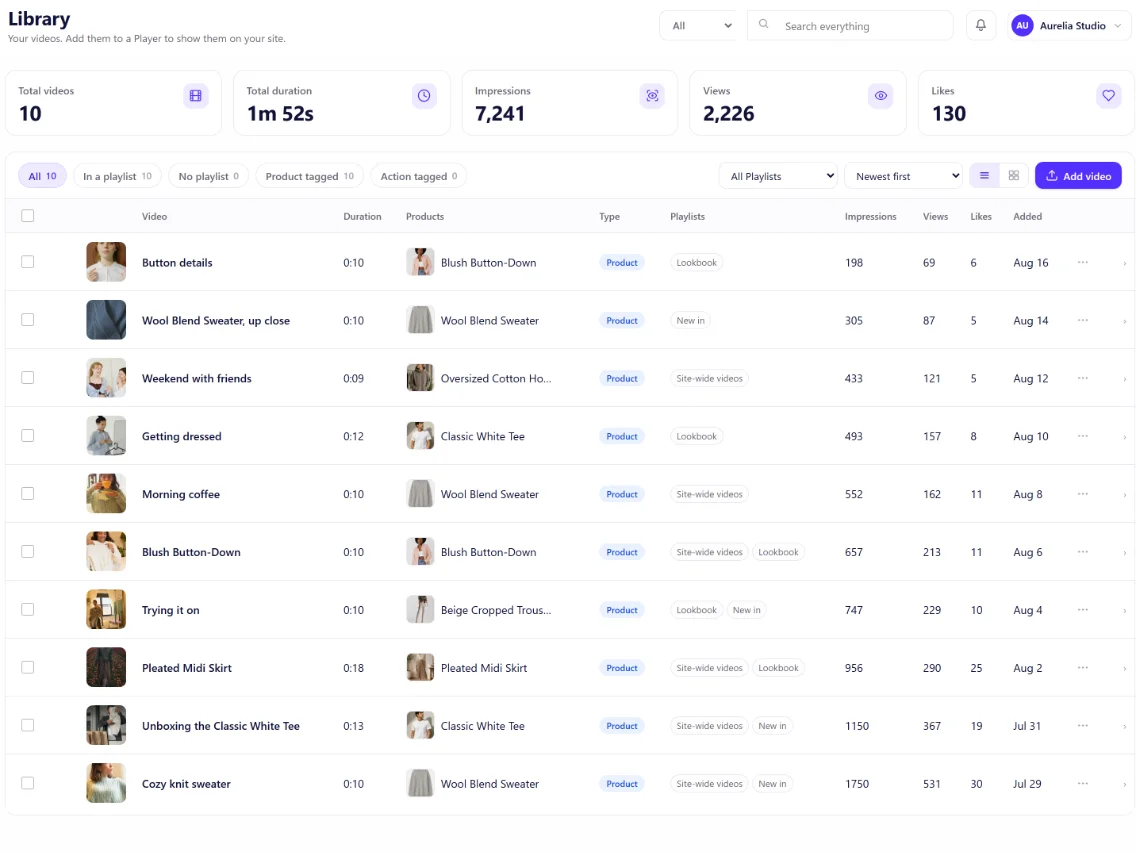
Add your videos
Upload a video file, or paste a link to one you already host.
We handle hosting and fast playback.
● ● ●
 Step 2 of 3
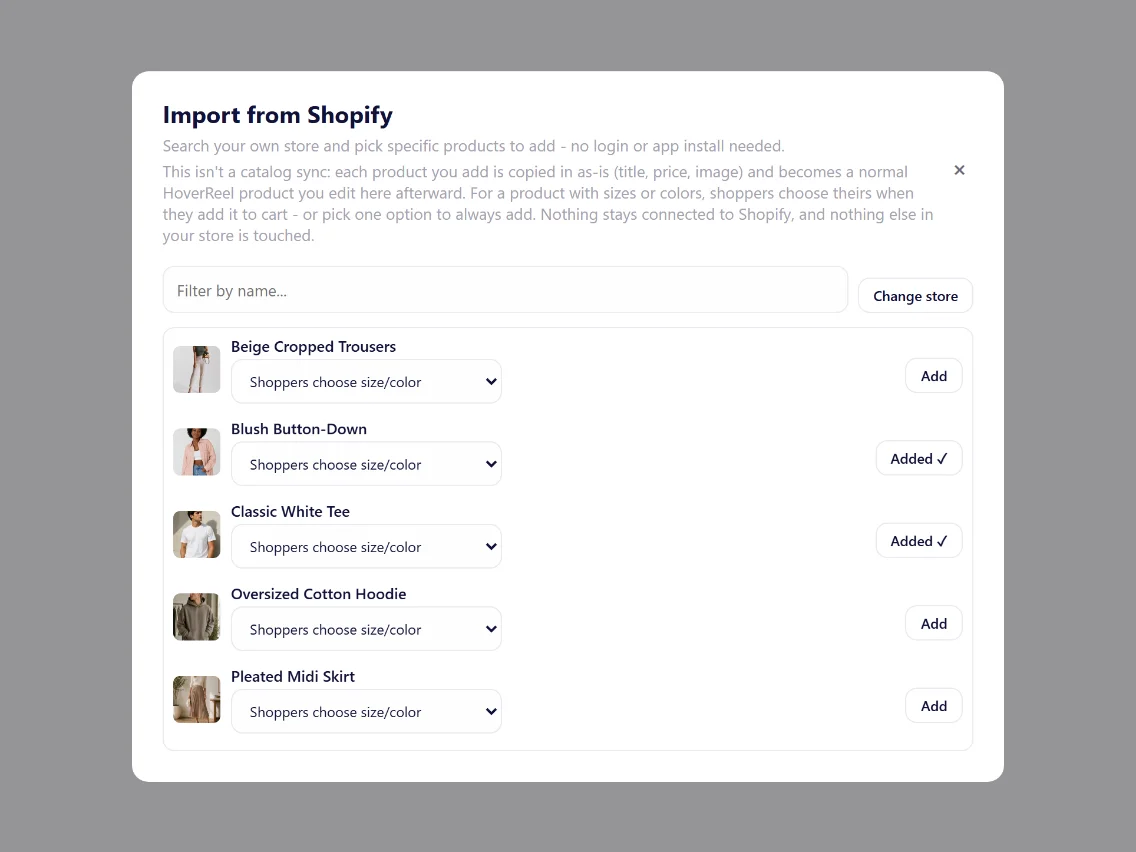
Connect your products
Import products from Shopify, WooCommerce or BigCommerce, or add them by hand.
Tag each video to the product it shows, or to a button like "Book a call".
● ● ●
 Step 3 of 3
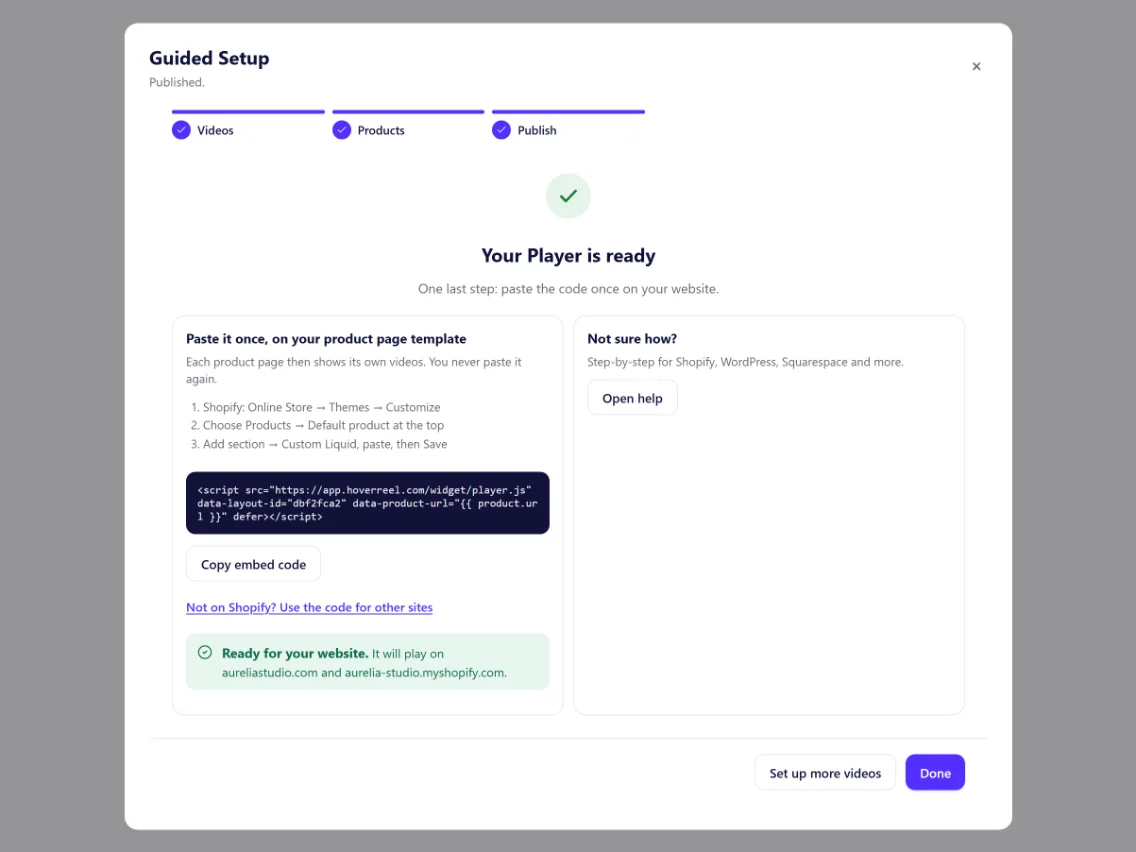
Pick a Player and paste the code
Choose where video goes (one page, every product page, or the corner of every page) and which videos it shows.
Guided Setup picks the right settings and gives you one short code, with where to paste it for your platform.
● ● ●
Insights
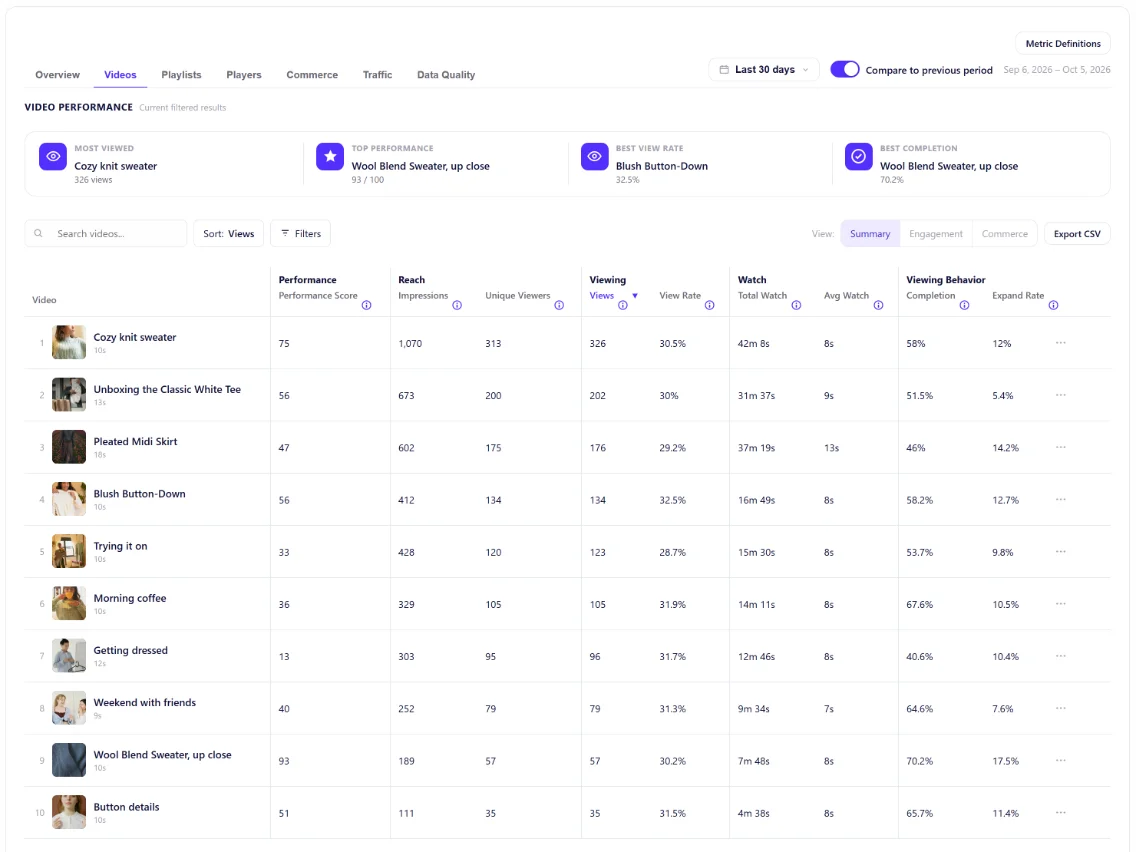
Then see what's working
✓Which videos get watched to the end.
✓Which products get clicked and added to cart.
✓Which Players and pages perform best.
● ● ●
Where the code goes on your platform.
Shopify
Paste it in a Custom Liquid block.
See the Shopify steps →
WooCommerce
Paste it in a Custom HTML block.
See the WooCommerce steps →
BigCommerce
Add it in Script Manager.
See the BigCommerce steps →
WordPress
Paste it in a Custom HTML block.
See the steps →
Squarespace
Paste it in a Code block.
See the steps →
Wix
Add it in Custom Code.
See the steps →
Stuck? Email [email protected]. A real person reads every message.